

From Desktop
Desktop has no deploy form. Ask a connected agent to deploy, for example “Deploy this project with Hoista”, or use the CLI below. Deploys in the sidebar shows every deploy as it runs, and a project’s Deploys tab shows that project’s history. For a watched project, the provider still runs the build. Use Deploy newest commit, or a row’s menu to redeploy, restart or roll back. Hoista asks the provider to do it.Create and review a plan
--region - clears the region. To change more, pipe edited JSON from hoist plan show PLAN_ID --json into hoist plan edit PLAN_ID.
If the source changes, create a new plan. Set required values through variables.
Deploy
Deploy a folder in one step:--detach starts it and returns straight away. -m saves a note with the deploy.
Or deploy a reviewed plan:
hoist deploys request REQUEST_UUID finds the deploy a key started.
Follow, cancel and roll back
hoist rollback without a deploy ID lets you pick one from the project’s deploys.
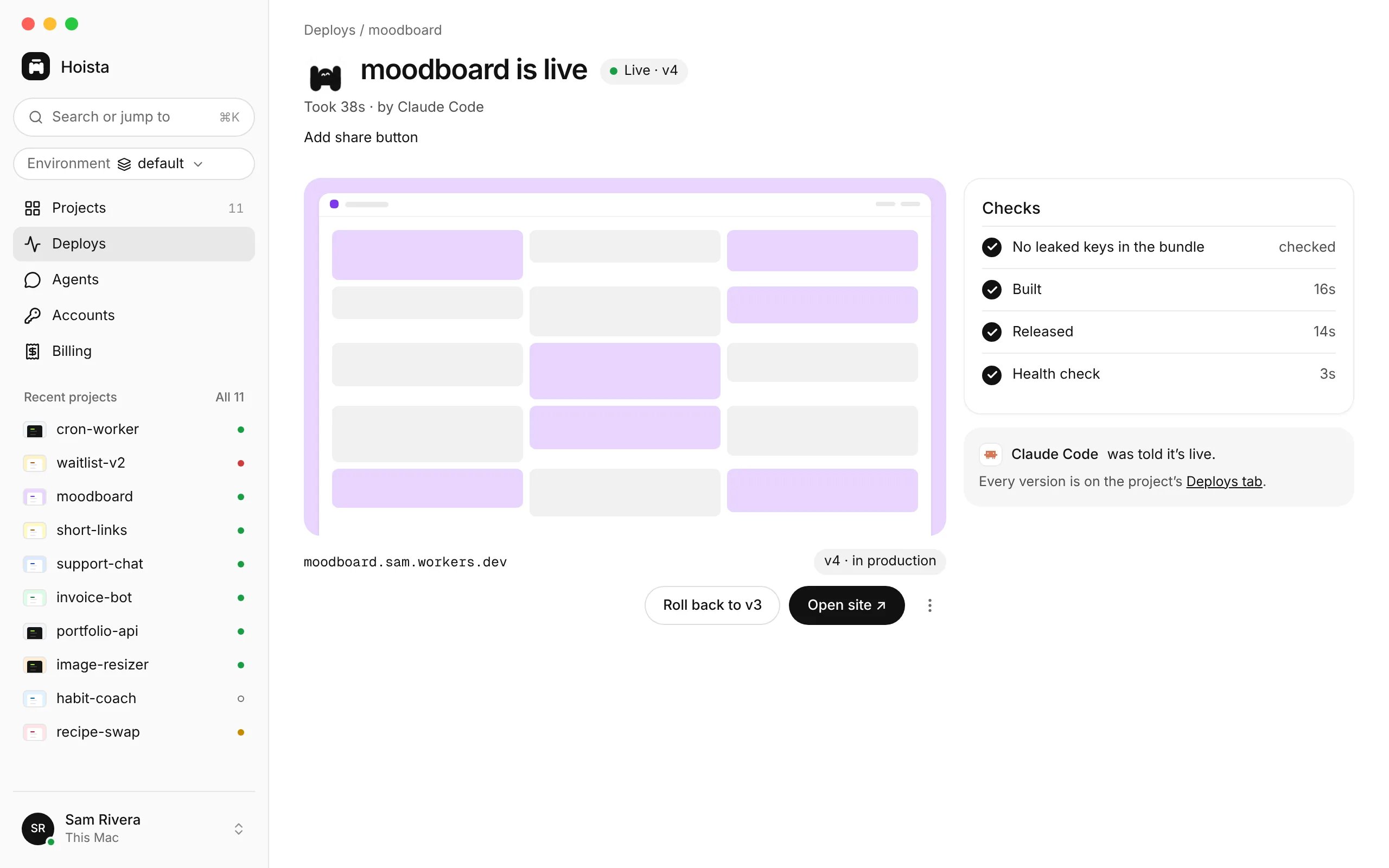
A finished deploy, with its checks and a button to roll back to v3.
Related
A failed deployment
Find where it failed and fix it.
Variables and domains
Set what the deploy needs.
Logs and metrics
Check the running app afterwards.