

Connect
Resend connects with an API key:- Open API Keys: API Keys → Create API Key. Name it Hoista and choose Full access for all domains.
- Copy the key. It starts with
re_and Resend shows it once. - In Desktop, open Accounts, choose Resend and paste the key.
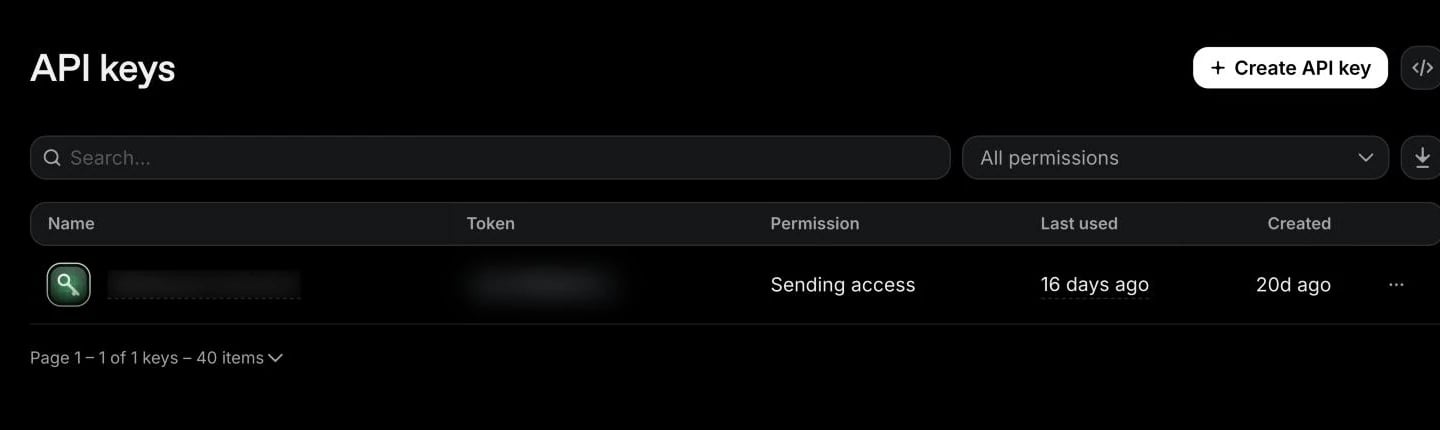
Resend’s API Keys page, captured November 2026. Personal details are blurred. If yours looks different, the names in the steps still match.
hoist accounts add resend --name NAME --token-stdin, and add --account <team> if the token reaches more than one team.
What you can do
- Add a sending domain and see the DNS records Resend needs to verify it.
- See recent emails and logs on the Logs tab, and metrics on Metrics.
- See the team’s plan usage on Billing: emails this month and today, domains and contacts. Resend doesn’t share a bill through its API.
- Use the Resend tab for Resend’s own operations.
- Delete a sending domain after you confirm it by name.
Bring in existing resources
Hoista looks for sending domains when you connect. In Desktop, add them as described in Bring in an existing project. From the CLI:--project my-app adds the domain to an existing project, such as the app that sends the email. Use --new <name> to start a new one. Projects start in watching mode. To look again, run hoist accounts refresh <account> with the name or ID from hoist accounts.
Related
Providers
What Hoista supports on each provider.
Connect hosting accounts
Connect, check and rotate accounts.
Bring in a project
Add what an account already runs.